
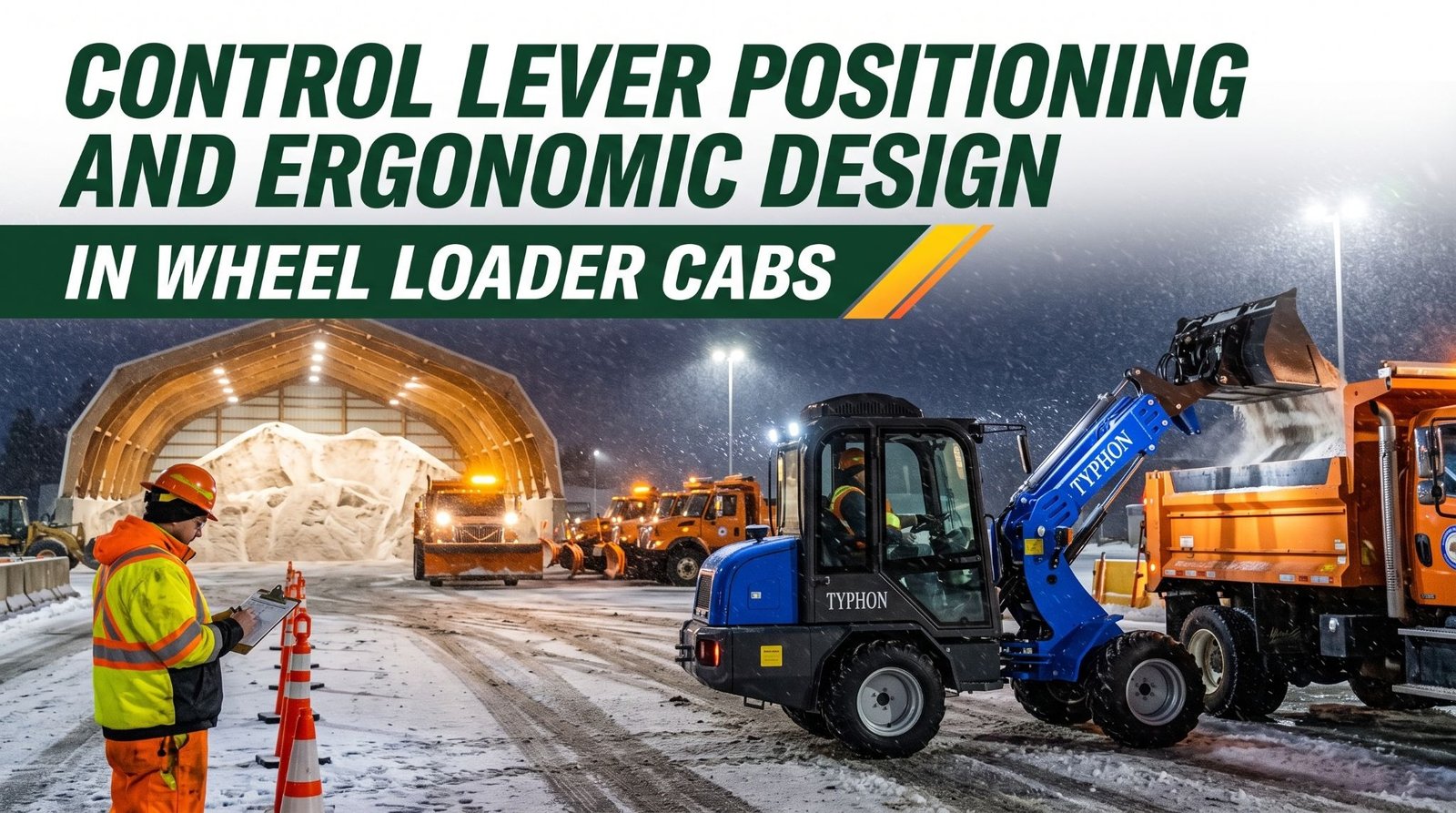
Control Lever Positioning and Ergonomic Design in Wheel Loader Cabs
Wheel loader operators often spend long shifts repeating steering, lifting, tilting, and reversing movements under changing site conditions. Poor seat adjustment, awkward control placement, obstructed visibility, and clutter around the operator station can increase physical strain and make precise movements harder to maintain. A properly configured cab helps operators work comfortably, respond consistently, and stay aware of nearby vehicles and ground personnel.
Seat position, suspension settings, armrest height, joystick reach, and pedal clearance all influence operating comfort and control accuracy. Mirrors, camera displays, clean windows, and correctly positioned controls support visibility and reduce unnecessary twisting or reaching. Damaged joystick boots, contaminated control mechanisms, and unfamiliar control layouts can also interfere with smooth operation and should be addressed before demanding work begins.
Setting up the cab for each operator should be part of the pre-operation routine. Adjust the seat and controls from the normal working position, remove loose objects, secure floor mats, and check that mirrors, cameras, and safety devices function properly. Regular breaks, clear communication with ground crews, and scheduled inspection of control components help reduce fatigue, prevent avoidable errors, and maintain safe productivity throughout long shifts.
Control Layout and Reach Distance
A wheel loader operator may move the joystick, steer, press the pedals, and work switches hundreds of times every hour. Where those controls sit in relation to the operator’s body has a direct effect on how quickly and accurately each movement happens. Frequently used controls should be accessible from the normal operating position without excessive stretching or twisting. When the joystick, travel direction switch, throttle, and brake fall naturally under the hands and feet, the operator can react quickly and keep attention on the bucket and the surrounding work area.
Operators should become familiar with the control layout before work begins, particularly when they move between different models or manufacturers. Take a few minutes in the seat with the machine shut down to locate every primary control, including the parking brake, travel direction switch, horn, lights, hazard controls, and any auxiliary functions. Keep the console and floor free of loose items, since a clipboard, phone, or bottle can slide into a control or under a pedal at the worst moment. Report any control that is loose, obstructed, or difficult to reach so it can be adjusted or repaired before it affects safe operation.
Key takeaway: Frequently used controls should fall within easy reach of the normal operating position, so adjust the available control positions before work begins, keep the cab free of loose items, and report controls that are loose, obstructed, or hard to reach.
Joystick and Lever Function
Wheel loaders may use different control arrangements depending on the model, the manufacturer, and the application. Many current machines use a single multifunction joystick mounted on the right armrest. Moving the joystick forward and back typically raises and lowers the boom, while moving it left and right typically tilts the bucket back and dumps it. Other machines use two separate levers, one for the boom and one for the bucket. Additional rollers, buttons, or levers may operate auxiliary hydraulics for attachments such as grapples, brooms, or snow pushers.
Joysticks often carry more than hydraulic functions. Depending on the design, the joystick may include a forward-neutral-reverse switch, a gear downshift button, a horn, or a float position that lets the bucket follow the ground during backdragging. Some loaders offer return-to-dig, boom kickout, or height limit features that automatically stop the boom or bucket at preset positions. Many machines also include a hydraulic lockout switch that prevents loader arm movement when activated. Because these functions vary, an operator who assumes one machine works like another can produce an unexpected movement in a crowded work area.
Operators must understand the assigned function of every joystick and lever before entering active work areas. Read the operator’s manual and the control decals in the cab, and confirm that each label matches what you expect. Then, with the area clear and the machine in a safe, open space, test each function at low speed. Raise and lower the boom, tilt the bucket through its range, check the travel direction switch, and confirm that each control returns to neutral when released. A control that sticks, responds slowly, or moves in the wrong direction must be reported before work continues.
Smooth control technique protects both the operator and the machine. Gradual, steady inputs produce more accurate bucket placement and reduce spillage, while abrupt movements shock the loader arms, jolt the machine, and tire the operator faster. Keep the hand relaxed on the joystick, and use the armrest to support the forearm so fine movements come from the wrist and fingers rather than the shoulder. Engage the hydraulic lockout, where equipped, whenever you leave the seat or allow someone near the bucket.
Key takeaway: Control arrangements vary between wheel loaders, so learn the function of every joystick, lever, and switch from the manual and decals, test each one at low speed in a clear area, and report any control that responds incorrectly.
Seat Adjustment and Body Support
The seat is the foundation of every other ergonomic feature in the cab. An appropriately adjusted seat helps maintain a stable posture, supports the body through hours of movement and vibration, and places the operator in the right position to reach the controls and see the work area. When the seat fits poorly, the operator compensates by leaning, slouching, or stretching, and every compensation adds strain.
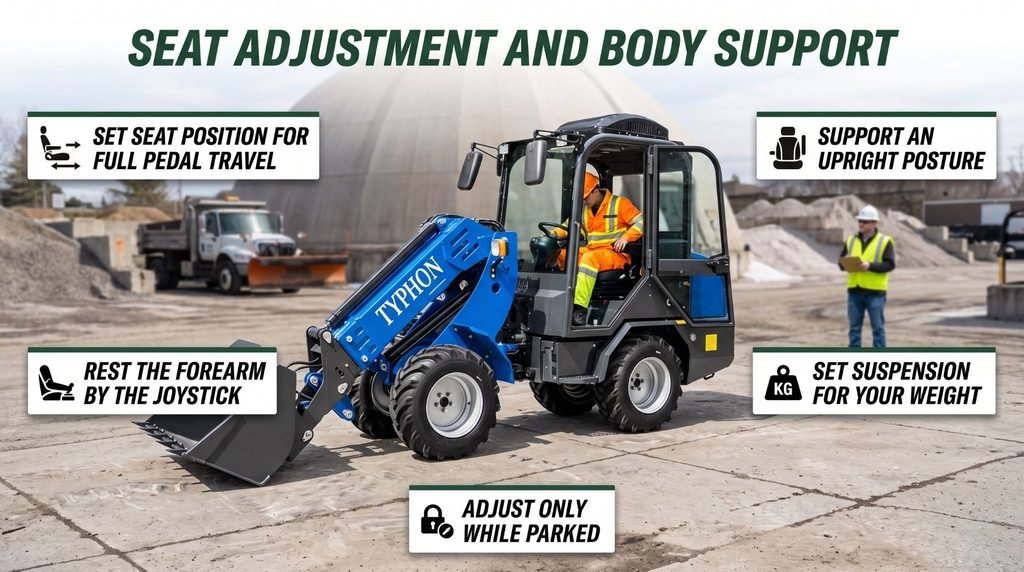
Proper seat adjustment helps wheel loader operators stay comfortable, reach controls safely, and reduce fatigue during long shifts.
- Seat Position: Adjust seat distance and height for comfortable pedal operation and a clear view of the bucket and work area.
- Backrest Support: Set the backrest and lumbar support to maintain an upright, comfortable posture.
- Armrest Position: Keep shoulders relaxed and arms supported while reaching the joysticks comfortably.
- Seat Suspension: Adjust suspension to your weight according to the manufacturer’s instructions to reduce vibration and jolts.
- Safety Checks: Adjust the seat while parked with the bucket lowered and parking brake engaged. Confirm the seat locks securely, fasten the seat belt, and report any defects before operating.
Key takeaway: Adjust seat position, height, backrest, armrests, and suspension before work begins with the machine parked, confirm every adjustment locks securely, and never use a seat that won’t stay in position.
Visibility and Control Coordination
Comfortable controls only help when the operator can see what the machine is doing. Good ergonomics must work together with clear visibility. Wheel loader operators need to see the bucket, the pile, the truck box, surrounding vehicles, ground crew, and the travel path, all while keeping their hands and feet on the controls. A cab that forces the operator to twist, crane, or lean to see creates the same problems as a poorly placed lever, and often more serious ones.
Seat adjustment plays a direct role in visibility. A seat set too low hides the bucket edge and the far side of the hood, while a seat set too far back can shift the operator’s view and leave the mirrors misaligned. Adjust the seat first, then set the mirrors from the normal operating position so they show the areas beside and behind the machine. Clean windows, mirrors, and camera lenses before every shift, and again during the shift in dusty, muddy, snowy, or salty conditions. Use the wipers, defrosters, and work lights as conditions require, and keep the windshield and side glass free of stickers, papers, and objects that block the view.
Mirrors, cameras, windows, and appropriate seat adjustment can support awareness, but operators should still check blind spots before moving. Every wheel loader has areas the operator can’t see directly, especially close to the rear counterweight, behind the rear tires, and in front of a raised bucket. Rear cameras and object detection systems, where equipped, add another layer of awareness, but they have limits. A lens can fog or ice over, a screen can be hard to read in glare, and a person can step into view a moment after the operator looks. Look in the direction of travel, check mirrors and screens, and watch for movement before every reverse. Sound the horn where site rules require it, and confirm the backup alarm works.
Site controls support the operator’s view. Separate pedestrian routes from loader travel paths, establish clear rules for truck drivers about staying in their cabs or radioing before stepping out, and use cones or barriers to keep people out of the loader’s working area. Use a trained spotter where visibility is limited, and agree on hand signals or radio calls before work begins. Stop all movement whenever someone enters the work area unexpectedly.
Key takeaway: Adjust the seat first, then set mirrors and clean windows and cameras so the operator can see the work area while reaching the controls, and always check blind spots directly before moving.
Reducing Fatigue During Long Shifts
Wheel loader work often comes in long stretches. Storm response, aggregate loading, demolition cleanup, and seasonal rushes can keep an operator in the seat for 10, 12, or more hours. Repeated lifting, turning, and travel movements can contribute to fatigue when the operator station is poorly adjusted. Fatigue affects more than comfort. It slows reaction time, reduces attention, and makes control inputs less precise, all of which raise the risk of collisions and spilled loads.
The ergonomic setup described in the earlier sections is the first defense. A properly adjusted seat with the suspension set for the operator’s weight absorbs much of the jolting from uneven ground. Armrests that support the forearm reduce shoulder strain during thousands of joystick movements. Controls placed within easy reach eliminate the small stretches and twists that add up over a shift. Many wheel loaders also offer ride control, which reduces bouncing and pitching during travel with a loaded bucket. Where equipped, use it according to the manufacturer’s guidance, especially on rough ground or longer carry distances.
Correct control technique also helps. Smooth, gradual joystick and pedal inputs require less effort than abrupt corrections and keep the machine from rocking. Plan the loading pattern to reduce unnecessary travel and sharp turns, keep the work area level and free of ruts, and approach trucks and piles squarely so each cycle needs fewer adjustments. Keep the cab temperature comfortable and the air clean, since heat, cold, and dust all speed fatigue. Keep the floor and pedals clear so the feet can rest in a natural position.
Work organization matters as much as cab design. Breaks, reasonable work scheduling, and sensible shift lengths help reduce strain. Short breaks to leave the seat, stretch, walk, and drink water restore focus far better than pushing through. Supervisors should plan rotations or relief operators for long events whenever possible.
Operators should report persistent discomfort rather than changing safety-critical settings or operating positions in ways that interfere with control. Sitting sideways, riding with the seat belt unfastened, removing armrests, or wedging objects behind the back may feel like quick fixes, but they can pull the operator away from the controls or out of the protection of the cab. If the seat, controls, or cab can’t be adjusted to fit, raise the issue with a supervisor so it can be corrected properly.
Key takeaway: A well-adjusted seat, supported arms, smooth control technique, and regular breaks help reduce fatigue, so report persistent discomfort instead of changing operating positions or safety settings in ways that affect control.
Maintaining Cab Controls
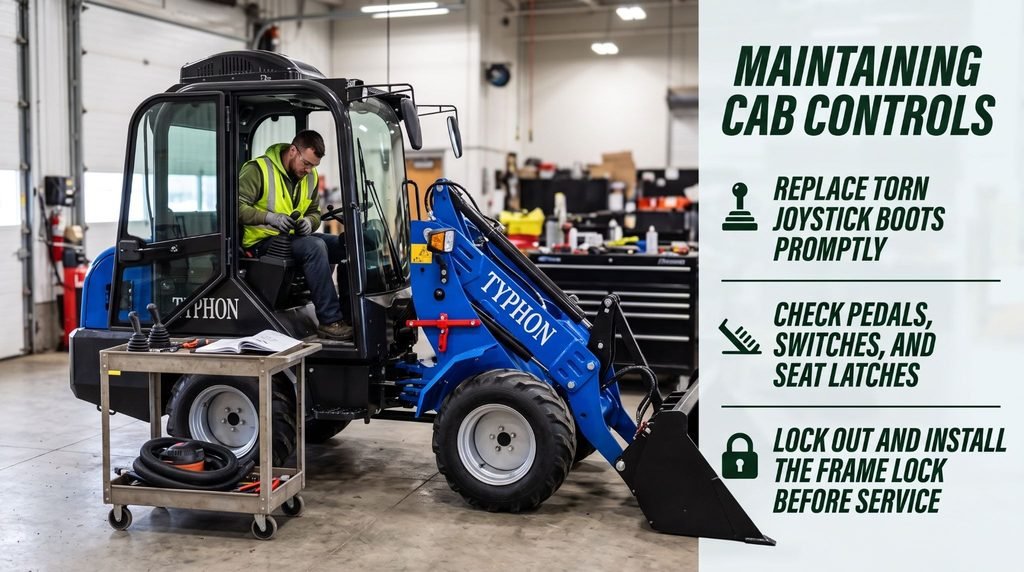
Ergonomic design only delivers its benefits when the controls work as intended. Control levers, joysticks, pedals, switches, and seat adjustment mechanisms should be checked during routine inspections, just like the engine, tires, and hydraulics. A small defect in the cab can quietly change how the operator handles the machine.
Start with the joystick and levers. Inspect the rubber boots around each control base for cracks, tears, and missing clamps. Damaged boots let dust, salt, water, and grit into the control mechanism, which can make a function stick, feel rough, or respond inconsistently. Move each control through its full range with the engine off and confirm that it travels smoothly and returns to neutral. Check pedals for worn or slippery pads, loose mounting, and smooth return, and make sure floor mats lie flat and can’t slide under a pedal. Test switches for the travel direction, lights, horn, wipers, and hydraulic lockout to confirm each one works cleanly.
The seat needs attention as well. Check the fore-and-aft slide, height adjustment, backrest, armrests, and suspension for secure locking and smooth movement. Inspect the seat belt webbing for cuts and fraying, and confirm that the buckle latches and releases correctly. Keep the cab clean, since debris on the floor can interfere with pedals and grit on the console can work into switches and controls.
Damaged boots, sticking controls, loose components, or inconsistent movement may affect safe operation. Report every defect immediately, record it in the maintenance log, and tag the machine out of service if the issue affects control of the loader arms, steering, travel, or braking. Repairs should follow the manufacturer’s procedures and be performed by qualified technicians using parts that meet the manufacturer’s specifications.
Service work around controls carries its own hazards. Before any inspection or repair, park on firm, level ground, lower the bucket to the ground, engage the parking brake, shut off the engine, and remove the key. Many wheel loaders use pilot hydraulic controls that can still hold pressure after shutdown, so relieve pressure according to the manufacturer’s procedure and engage the hydraulic lockout where equipped. Install the articulation lock bar before working near the center joint, since the front and rear frames can pivot suddenly and create a crushing hazard. Apply lockout and tagout devices as required, and never work beneath raised loader arms unless they’re secured with the manufacturer’s approved support.
Key takeaway: Inspect joysticks, levers, boots, pedals, switches, and seat mechanisms during routine checks, report defects immediately, and repair controls according to the manufacturer’s procedures before the loader returns to service.
Conclusion
Control lever positioning and ergonomic cab design influence operator comfort, accuracy, and safety throughout every wheel loader shift. Controls placed within easy reach allow smooth responses and reduce unnecessary strain, while understanding each joystick, lever, pedal, and switch helps prevent unexpected movements in busy work areas. A properly adjusted seat, with suitable suspension, backrest support, and armrest positioning, promotes good posture and helps maintain clear sightlines. Visibility must work alongside control access, supported by clean windows, correctly adjusted mirrors, functioning cameras, and checks of potential blind spots. Before each shift, park on firm, level ground, lower the bucket, and engage the parking brake before adjusting the cab. Set the seat position, height, backrest, armrests, and suspension to suit the operator’s body and weight, confirming that all adjustments lock securely. Adjust the joystick pod, console, or steering column where available, remove loose items from the console and floor, and ensure the floor mat lies flat. Review control labels and the operator’s manual when using an unfamiliar machine. Clean windows, mirrors, and camera lenses, then adjust mirrors from the seated position. Inspect joystick boots, pedals, switches, seat latches, and the seat belt for damage. In a clear area, test controls at low speed, confirm they respond correctly and return to neutral as designed, and check the horn, backup alarm, and lights. During operation, use smooth control movements, maintain suitable cab conditions, and take planned breaks to manage fatigue. Fasten the seat belt and report any seat or control defects before work begins. Proper cab adjustment, regular inspection, and consistent operating habits help improve loading accuracy, reduce unnecessary strain, and support reliable wheel loader productivity.
Frequently Asked Questions
Why does control lever positioning matter?
Accessible controls reduce unnecessary reaching and help operators perform repetitive movements accurately. When the joystick, travel direction switch, and pedals fall naturally under the hands and feet, the operator responds faster, places the bucket more precisely, and experiences less shoulder, neck, and back strain over a long shift.
How should a wheel loader seat be adjusted?
The seat should support a stable posture while allowing comfortable access to the controls and a clear view of the work area. Set the fore-and-aft position, height, backrest, armrests, and suspension with the machine parked and the bucket lowered, confirm each adjustment locks securely, and fasten the seat belt before operating.
Can ergonomic design improve safety?
Yes. Appropriate control placement and seating can reduce strain and help operators maintain attention, which supports faster reactions and more accurate control. Ergonomic design works alongside training, clear visibility, pedestrian separation, and safe operating procedures rather than replacing them.
What should operators do if a control sticks?
They should stop using the affected function, lower the bucket, secure the machine, and report the fault for inspection and repair. Record the defect in the maintenance log, and keep the loader out of service until a qualified technician confirms the control works correctly.